 ThreadKeep
// macOS · iMessage archiver · public beta
ThreadKeep
ThreadKeep
// macOS · iMessage archiver · public beta
ThreadKeep pulls your iMessage history out of a database you can't see and into a library you own — browsable, fully searchable, and stored on your Mac. The conversations that would otherwise quietly disappear.
macOS 14 Sonoma+ · Apple silicon & Intel · works fully offline (optional update check) · 1.0 beta 9 · 4 MB
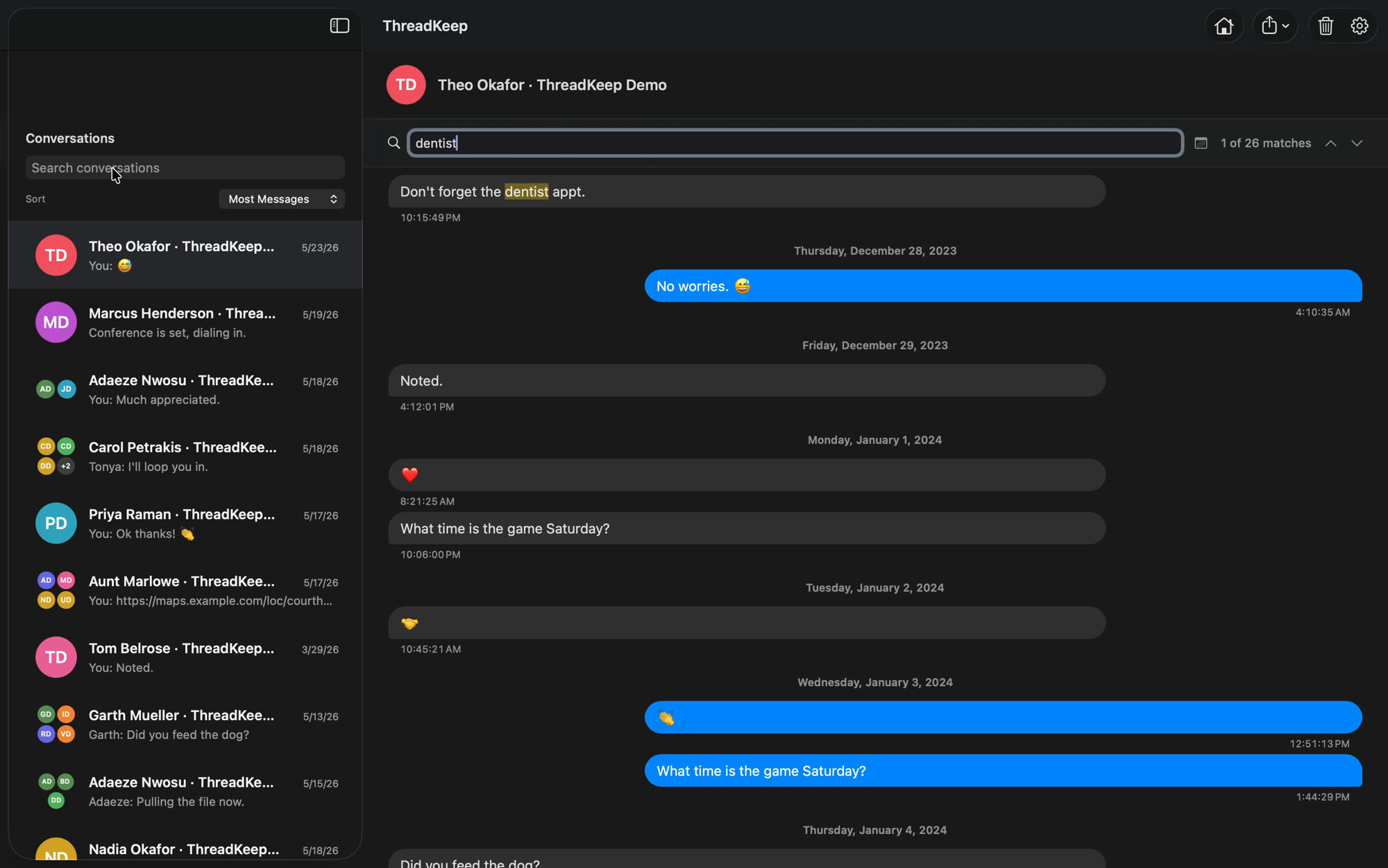
Your most important conversations live inside Messages — a format you don't control and can't easily read, search, or keep. A new phone, a skipped backup, an OS update, and they're gone. ThreadKeep makes a real copy: every conversation imported into a clean, searchable library of plain records on your own machine. No cloud account. No monthly fee. No one else holding your history. Just messages you can actually find, read, and keep for as long as you want them.
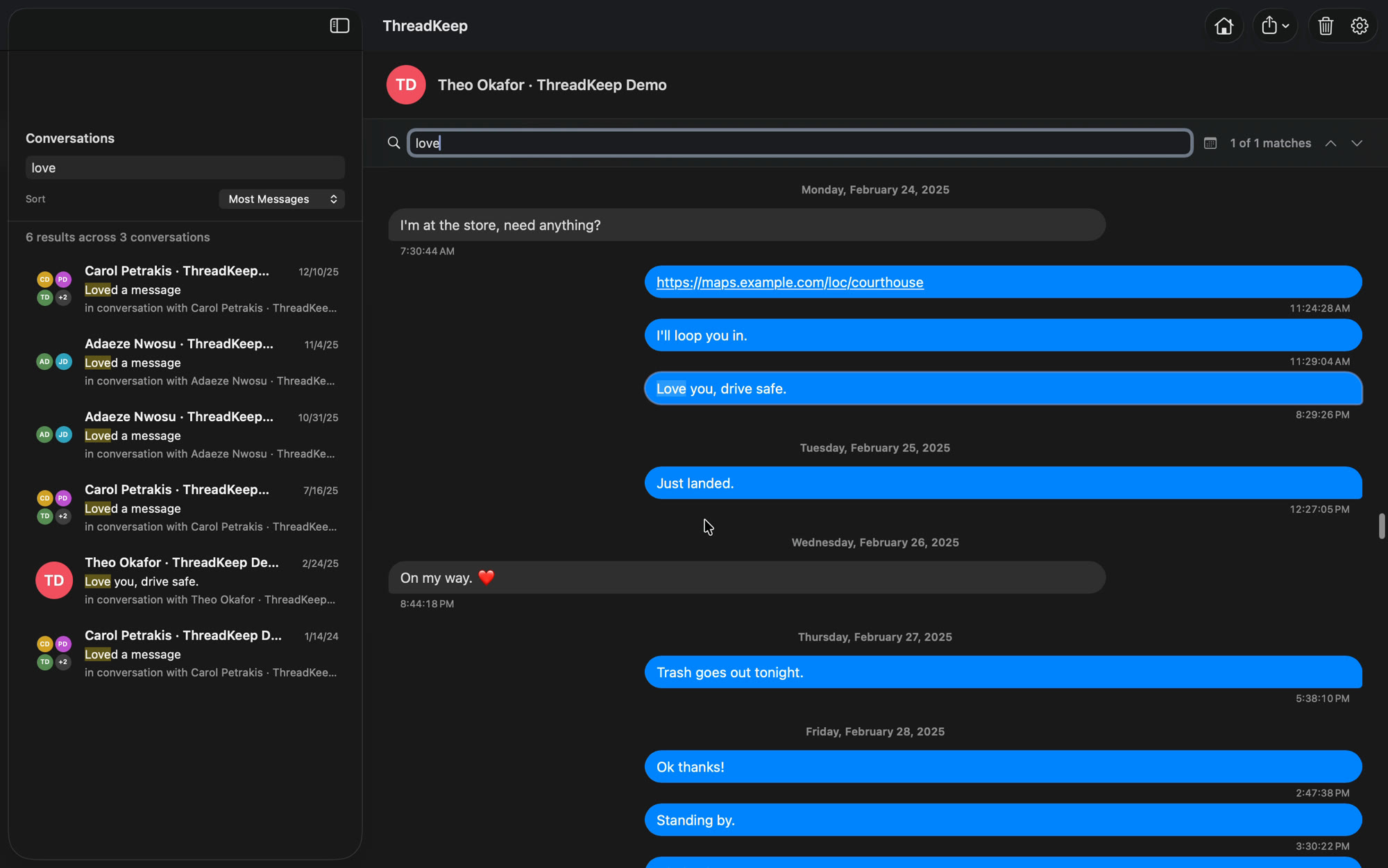
Type a name, a date, a link — even a single word — and ThreadKeep searches every conversation at once, then jumps you straight to the match. It finds tapbacks and reactions too, so a moment you remember but can't quite place is one search away.
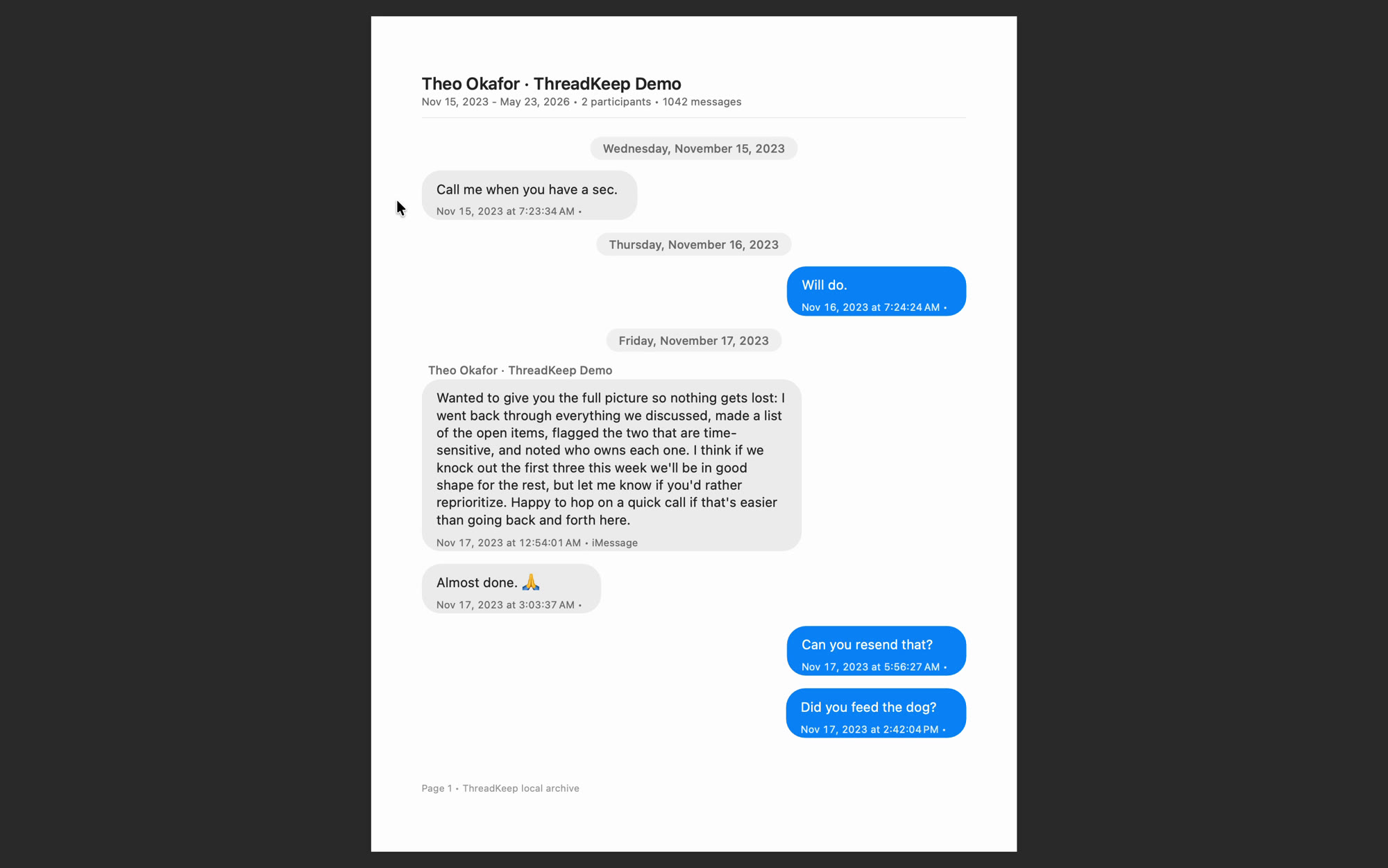
Turn any thread into a paginated, print-ready document with every timestamp intact. Save it as a PDF, file it, or print it — a record that outlives any phone, account, or platform change.
Your messages and imported archive stay on your Mac. ThreadKeep has no account and collects nothing — there's no telemetry to opt out of. ThreadKeep does not use the network while importing, searching, reading, or exporting your archive. It connects only when you explicitly check for updates or submit the in-app support form. Exports happen only when you ask. Using contact names is optional, and you can change it later.
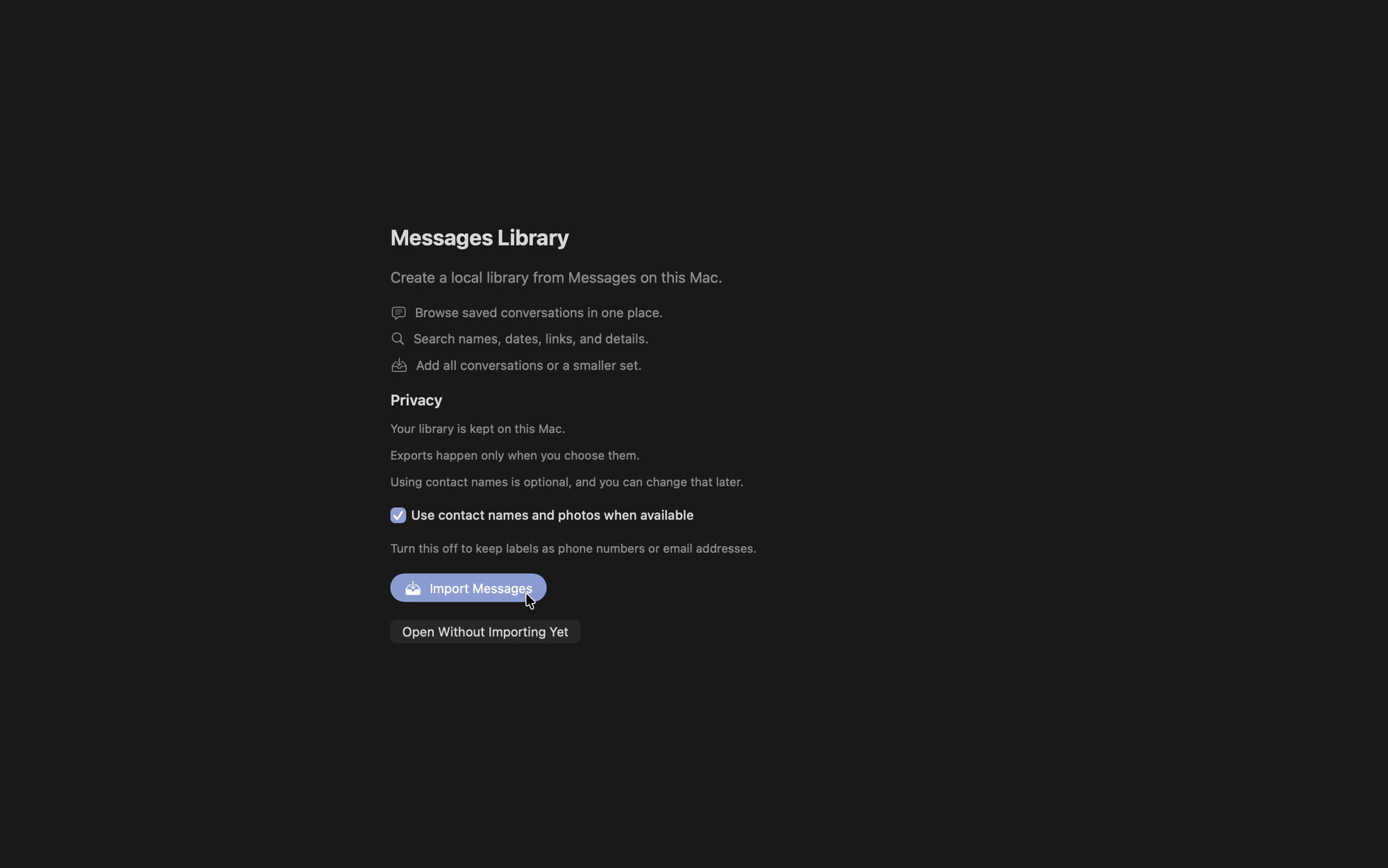
Setup takes about a minute. The import then runs on its own, and how long it takes depends on how much message history you have.
b994be1fe0cb714708d0b44c433eb38a81643889ef881424df2fe3dc59028288
macOS 14+ · Universal · signed & notarized
New in beta 9 — send your entire library (or a single conversation) to ThreadKeep for iPhone over Wi-Fi: pair with a 4-digit code shown on your Mac, watch live progress, done. Plus a clearer welcome screen and a QR code to grab the iPhone app.
Before you start — ThreadKeep is beta software and may still have rough edges. It reads from a temporary copy of your Messages database and never changes the original. Keep your usual backups while you test.
Beta feedback — hit a bug or have a note? Use the contact form, or choose Help → Contact Support in the app. Include the build number shown under ThreadKeep → About ThreadKeep. Describe what happened in words, and never attach your Messages database, a full conversation export, or screenshots that reveal private messages, names, phone numbers, or other personal information.
Your download is for you. Please do not re-host or share the .dmg; send others to threadkeep.xyz instead.

Download ThreadKeep-1.0b9.dmg above — no email, no license key, no account.
Double-click ThreadKeep-1.0b9.dmg, then drag ThreadKeep into your Applications folder.
Open ThreadKeep from Applications. It's signed and notarized by Apple, so it opens normally. If macOS ever hesitates, right-click the app and choose Open once.
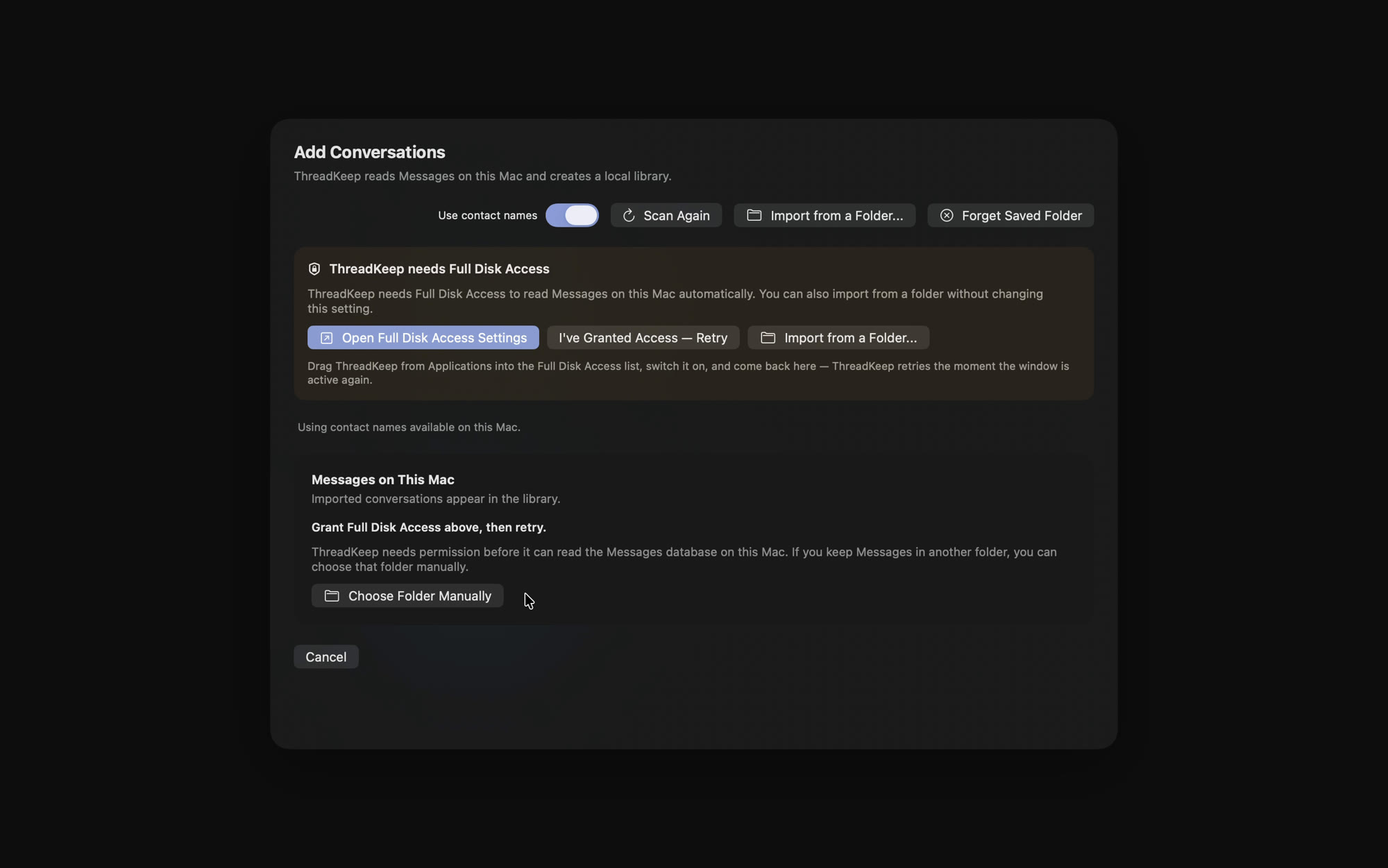
macOS keeps the Messages database in a protected area, and the permission required to reach it is called Full Disk Access. Open System Settings → Privacy & Security → Full Disk Access, turn on ThreadKeep, then reopen the app. ThreadKeep uses this permission only to read your Messages database. It works from a temporary copy, never changes the original, and never uploads your messages or imported archive.
Choose what to bring in — everything, or only the conversations you want. The import starts right away and continues on its own. How long it takes depends on the size of your message history.
No. ThreadKeep only reads the Messages database on your Mac. It never sends, edits, or deletes anything.
Entirely on your Mac, in a local library. Nothing is uploaded, and there's no account to create.
macOS keeps the Messages database in a protected area, and Full Disk Access is the permission required to reach it. ThreadKeep uses that permission only to read your Messages database. It works from a temporary copy, never changes the original, and never uploads your messages or imported archive. You can revoke the permission in System Settings at any time.
The beta is free while ThreadKeep is being tested and refined. Version 1.0 will be a one-time purchase, with no subscription. Pricing will be announced before the beta becomes a paid release.
Nothing — your library is a set of plain records on your Mac. Nothing expires or locks, and ThreadKeep 1.0 reads the same library.
Independent product. Apple, macOS, Mac, iMessage, and Messages are trademarks of Apple Inc., registered in the U.S. and other countries. ThreadKeep is an independent application and is not affiliated with, authorized, sponsored, or endorsed by Apple Inc.
Your data, your responsibility. ThreadKeep reads the Messages database on your own Mac and builds a local archive at your request. You are responsible for ensuring you have the right to archive, store, and export the conversations in your account, and for complying with applicable laws on storing and retaining electronic communications, which vary by jurisdiction.
Read-only. ThreadKeep does not modify, send, or delete messages, and it does not transmit your data anywhere. It collects no analytics, and its only network connection is the optional update check you can enable (or never enable) — a fetch of a static version file from threadkeep.xyz.
Compatibility. ThreadKeep relies on the local Messages data format, which Apple may change in future macOS releases. We support the latest macOS and the version below it; updates are issued as needed.
Beta software. ThreadKeep is currently pre-release software. It may contain bugs, and details may change before 1.0. Keep an independent backup of anything important.
No warranty. ThreadKeep is provided "as is," without warranty of any kind, express or implied. To the maximum extent permitted by law, the developer is not liable for any data loss or damages arising from its use. Always keep an independent backup of important data.
ThreadKeep is currently distributed as a free public beta. No payments are collected.